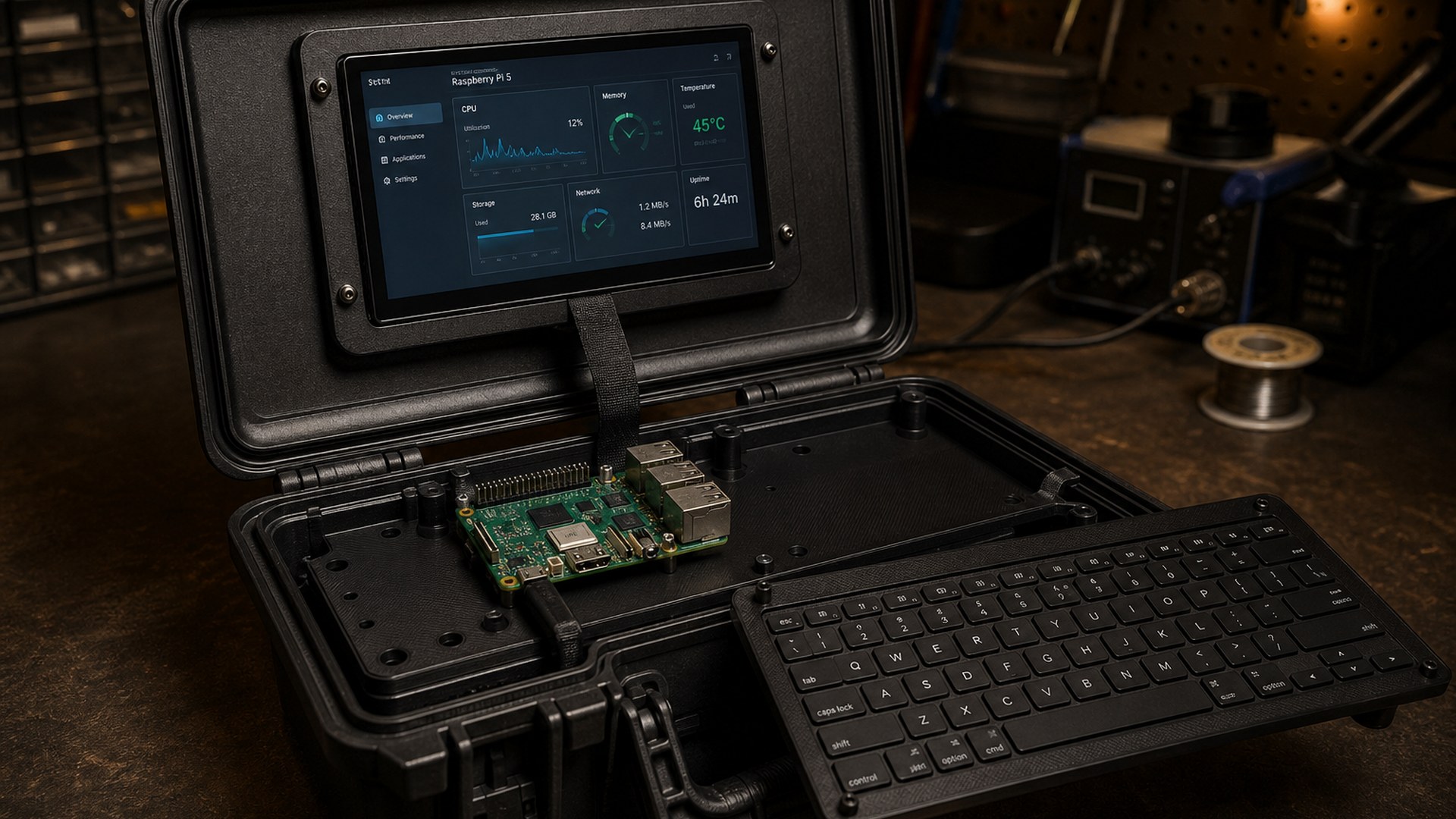

A computer you close like a toolbox. Raspberry Pi posted "Create your own cyberdeck" on 24 August at 12:51 UTC, a Maker Monday tutorial by Brian Corteil, and left it up as a free companion to Official Magazine issue 168. The Verge filed it the same afternoon. How-To Geek and XDA followed. The recipe is a Raspberry Pi 5, a 17.8 cm Touch Display 2, a 128-gigabyte Raspberry Pi flash drive, a Rii RK302 Bluetooth keyboard, and a CASOMAN 29.2 cm waterproof case. Off-the-shelf parts. A computer you close like a toolbox.
The Host · Sunday 30 August 2026
Read next



Step by step
- Do the power sum
Budget 25 W for the Raspberry Pi 5 plus about 3 W for Touch Display 2, which is 28 W or 5.6 A at 5 V. Use Raspberry Pi's 27 W USB-C supply on mains, or a fused battery setup off-grid.
- Flash the OS
Use Raspberry Pi Imager to put Raspberry Pi OS on the 128 GB Raspberry Pi Flash Drive.
- Bench test
Connect everything on the bench and confirm boot, touch, keyboard and sound before you glue any support.
- Design and make the supports
Mock up in cardboard to check the ribbon reach and keyboard clearance, then design in CAD and print or laser-cut the supports. Expect to revise.
- Fit the lid
Fit the speakers, Picade amp and volume encoder, seat the display on tape or foam, add the back brackets and cloth-tape the display ribbon.
- Fit the base
Watch the Pi boot in the case before you commit, then fix the Pi and battery to the mount plate. Leave the keyboard plate removable so you can reach the Pi.
- Enable the clock
With the RTC battery fitted, add dtparam=rtc_bbat_vchg=3000000 to /boot/firmware/config.txt.
This desk has not corrected this file. Corrections.
The paper
Comments
No notes on this story yet.
Sign in to comment